Google Ads · Meta Ads · Merchant Center
Advertising intelligence for freelancers, agencies and businesses
Admetriva brings your campaign data into one place, finds what changed, shows you why it was flagged and helps you report faster. You decide what happens next.
- Explained signals, not just charts
- E-commerce and lead generation
- Nothing changes in your accounts automatically
Less time in ad accounts, more time on decisions
-
All your data in one place
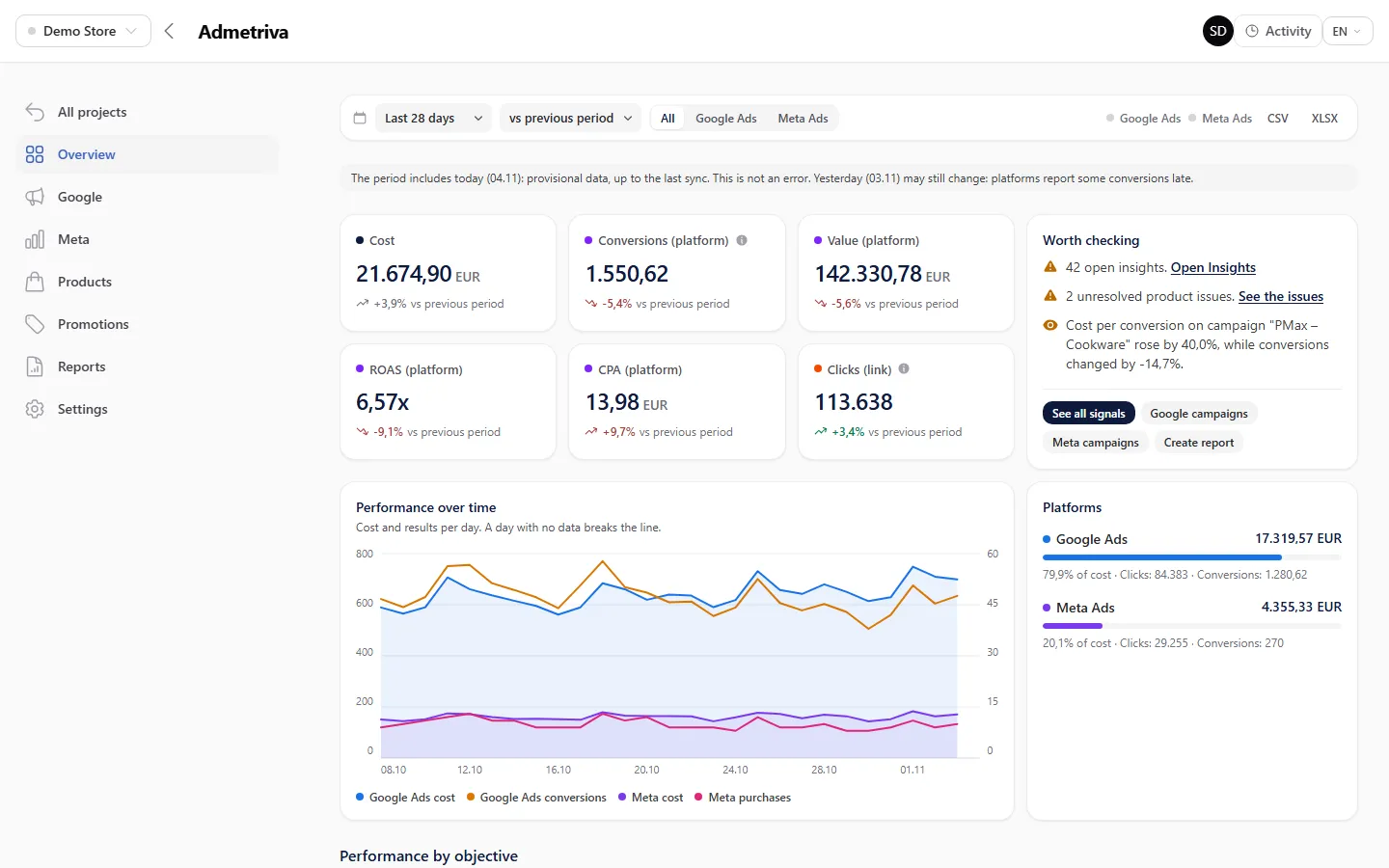
Google Ads, Meta Ads and, for stores, Merchant Center, on the same periods with the same definitions. No exports pasted into spreadsheets.
-
Problems come to the surface
Spend without conversions, rising CPA, wasteful search terms and products that stopped selling appear in a short list, ordered by importance.
-
Every signal is explained
"Why was this flagged?" shows the measured figures against a reference period, the threshold crossed and the daily trend.
-
Simpler reporting
Scheduled PDF reports and live client links, built from the same figures you see in the app.
Who Admetriva is for
-
Freelancers
See each morning what changed for every client without ten open tabs, and send reports without assembling them by hand.
-
Agencies
One dashboard for the whole portfolio, role-based access for the team and report links clients open without an account.
-
Businesses
Online stores or lead generation companies: see what brings sales or enquiries and where the budget goes.
How it works
From connecting to reporting, in five steps.
-
Connect
Google Ads, Meta Ads and Merchant Center, through each platform's official authorization. No code.
-
Sync
History is imported automatically, then data refreshes regularly. Recent days are re-imported for conversions reported late.
-
Get signals
The current period is compared with the previous one, and what is worth checking is ordered by importance.
-
Investigate
Open "Why was this flagged?" and see the measured facts for that exact campaign, product or search term.
-
Report
Generate PDF reports, schedule them or send your client a live link.
Google Ads and Meta Ads, side by side
Each platform with its own metrics, side by side, without mixing different attribution models.
-
Google Ads
Search, Shopping, Performance Max and other campaign types, search terms, products, conversions and value.
Google Ads Intelligence → -
Meta Ads
Facebook and Instagram campaigns, ad sets and ads, with their purchases or leads and the creatives that drove them.
Meta Ads Analytics → -
Google Merchant Center
Your catalogue, product status and product issues, next to advertising performance.
Merchant & Product Performance → -
TikTok Ads
Coming soonThe TikTok Ads integration is in the works.
Google Ads
Google Ads campaigns, next to Meta Ads
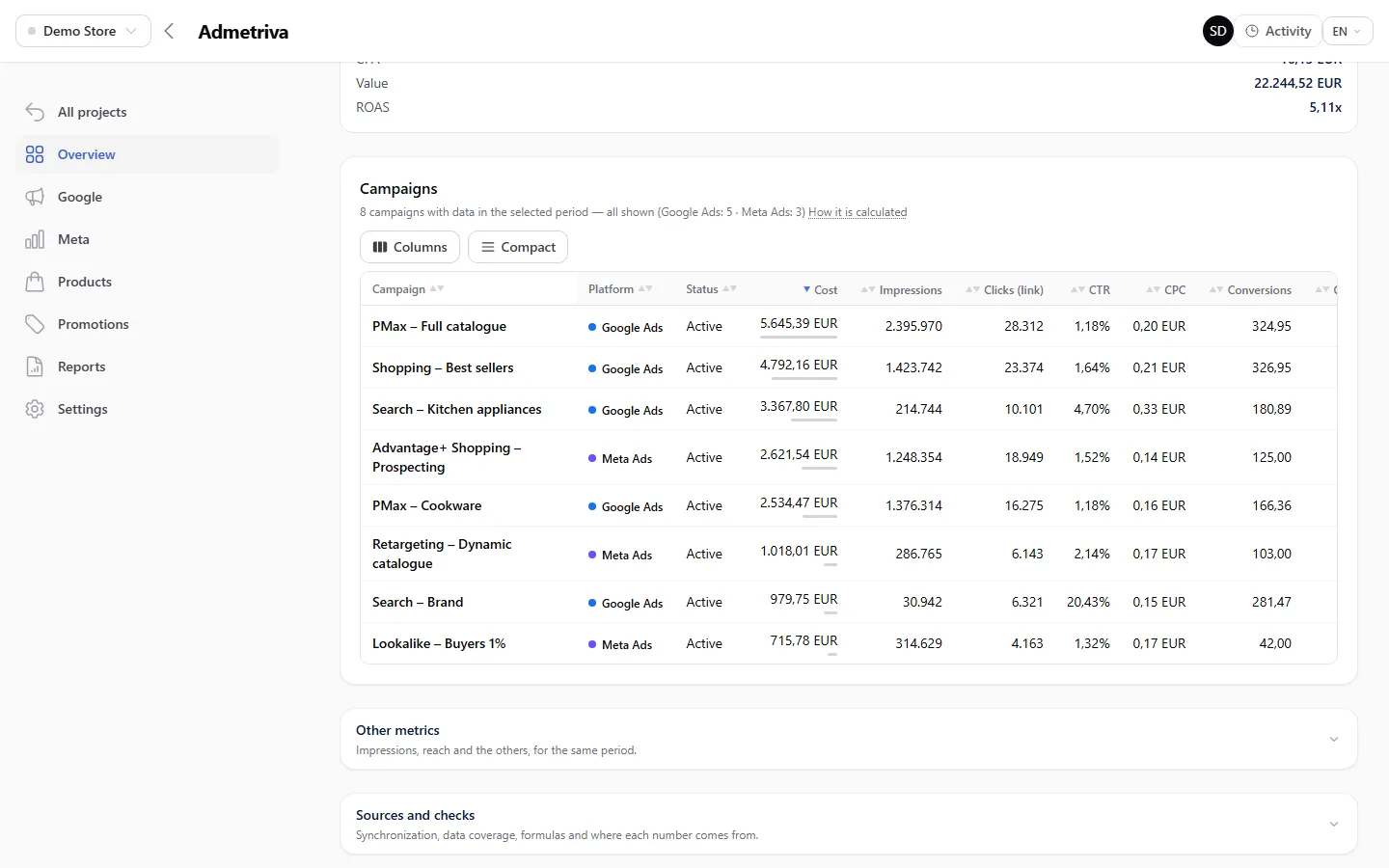
Search, Shopping and Performance Max in the same table as your Meta campaigns: cost, impressions, clicks, conversions, value, CPA and ROAS for the period you pick. Each platform keeps its own metrics and attribution model.
- You choose the columns and sort by any metric
- A page for every campaign, with its daily trend
- CSV and XLSX export with your filters applied
Meta Ads
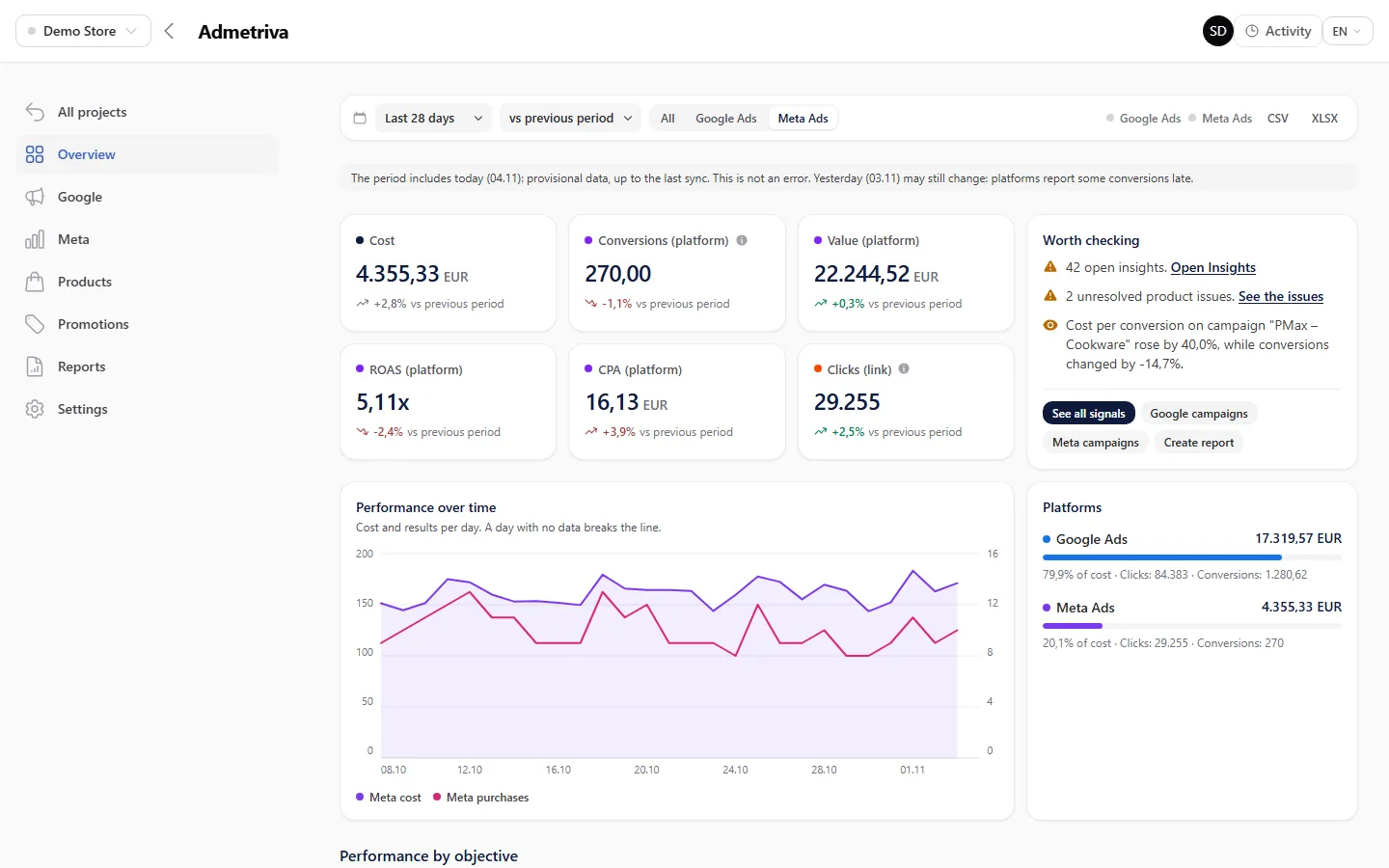
Meta Ads, on the same periods as Google Ads
Filter the overview to Meta Ads and see cost, purchases or leads, value and cost per result, day by day, with the same comparison against the previous period.
- Purchases, value and ROAS for stores
- Leads and cost per lead for lead generation
- A signal when cost per result rises
Actionable Intelligence
A short list of what is worth checking today
Not another dashboard to stare at. Each signal says what changed, how confident it is and what to check, and the investigation shows why it was flagged.
- Critical, watch, opportunity, or tracking and data issue
- Confidence level and the days of data behind every signal
- "What to check" and possible explanations, labelled as hypotheses
- Transparent rules: the same data gives the same result
Coming soon AI-generated explanations are in the works and will arrive in preview first.
Learn more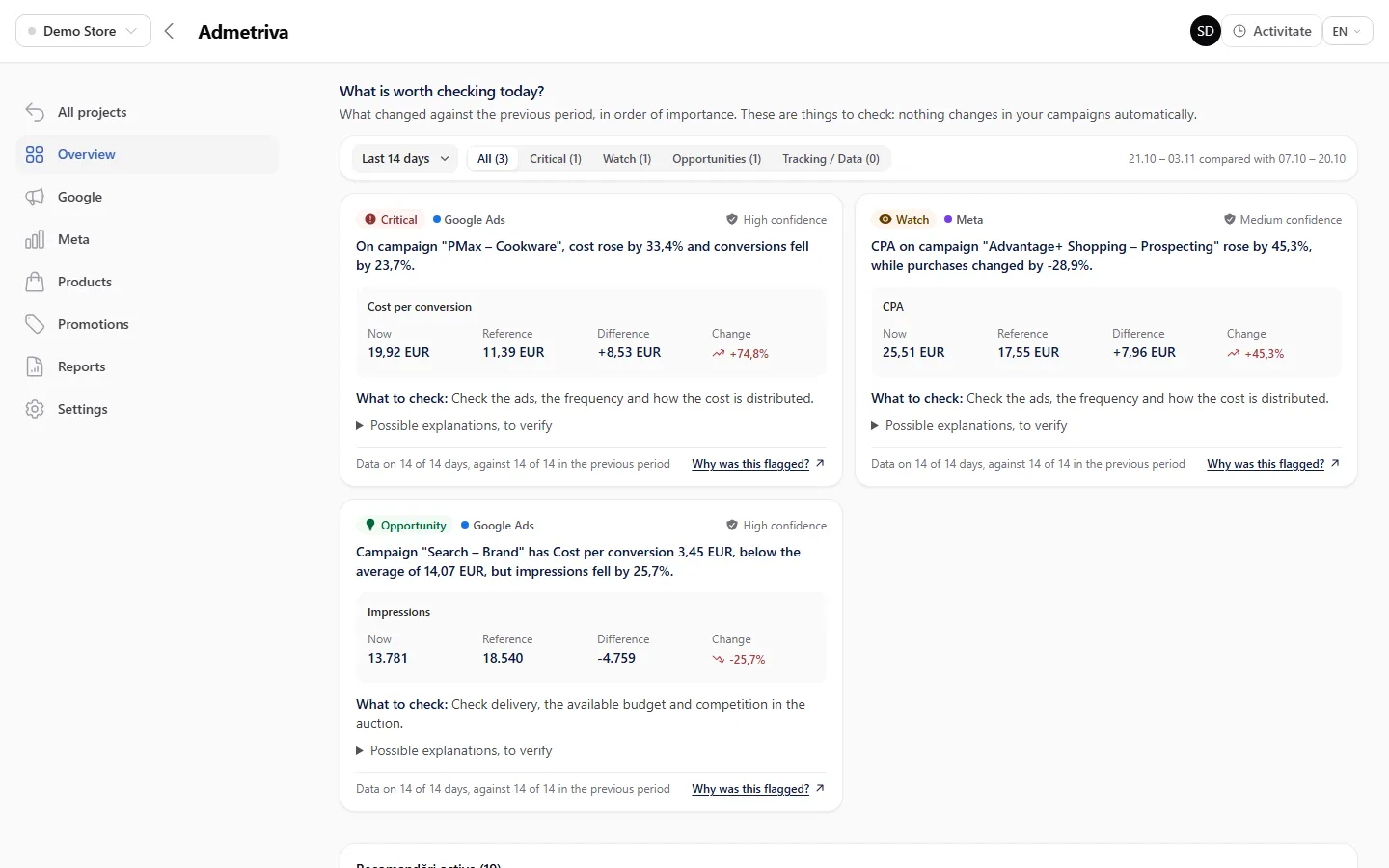
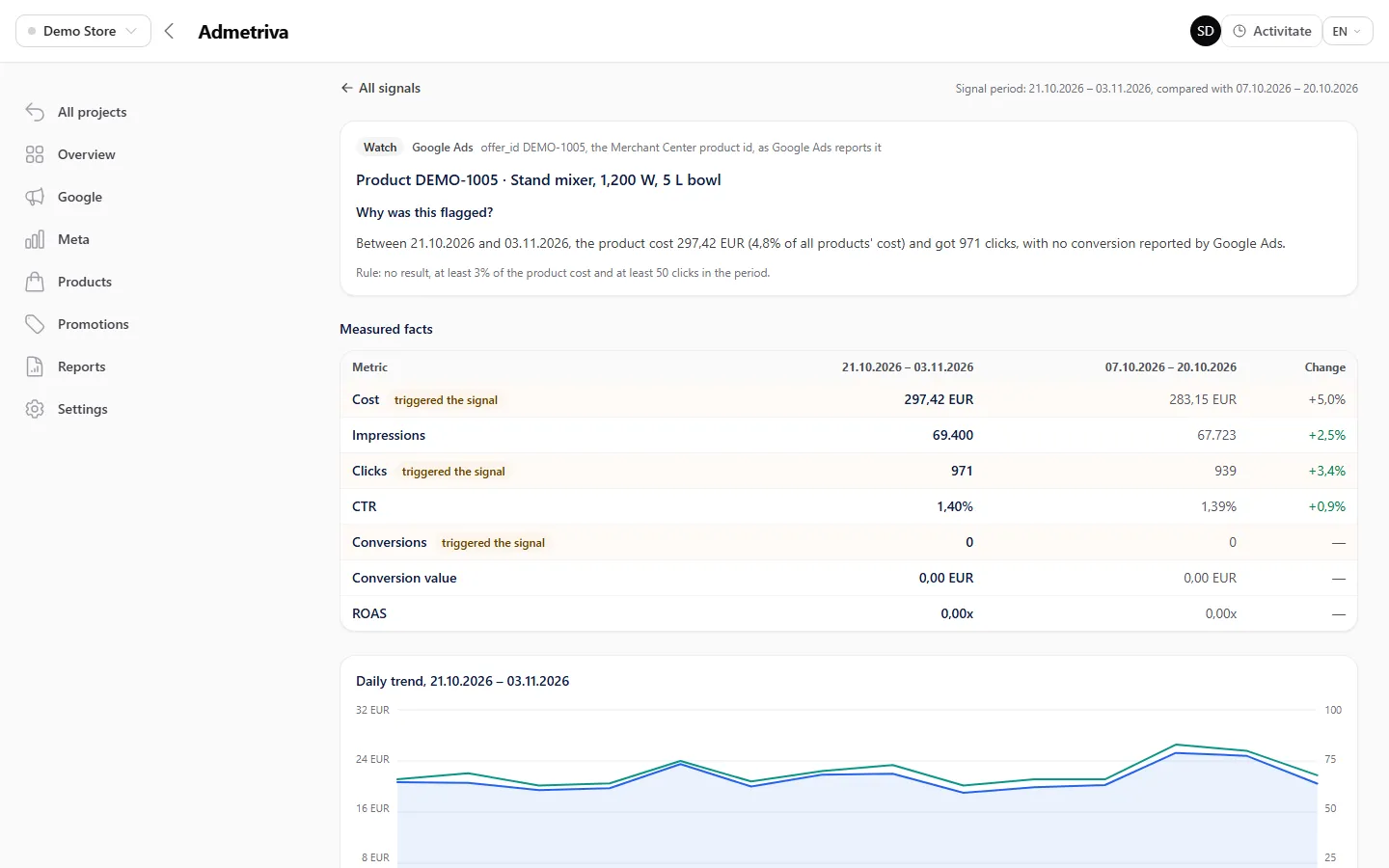
"Why was this flagged?"
Every signal can be investigated
Open the signal and see the measured facts for that exact campaign, product or search term: the figures against the reference period, the rule that triggered it and the daily trend.
- Measured figures, never estimates presented as facts
- The current and the reference period, day by day
- The decision stays with you, in your ad account
Search Terms Intelligence
The terms that sell and the terms that only spend
Ready-made rankings: terms with sales, cost without conversions, low CTR, new or rising terms. Copy the list and decide what becomes a negative keyword.
For Performance Max, search terms are mainly associated at campaign level; Admetriva shows the association level and confidence.
Learn more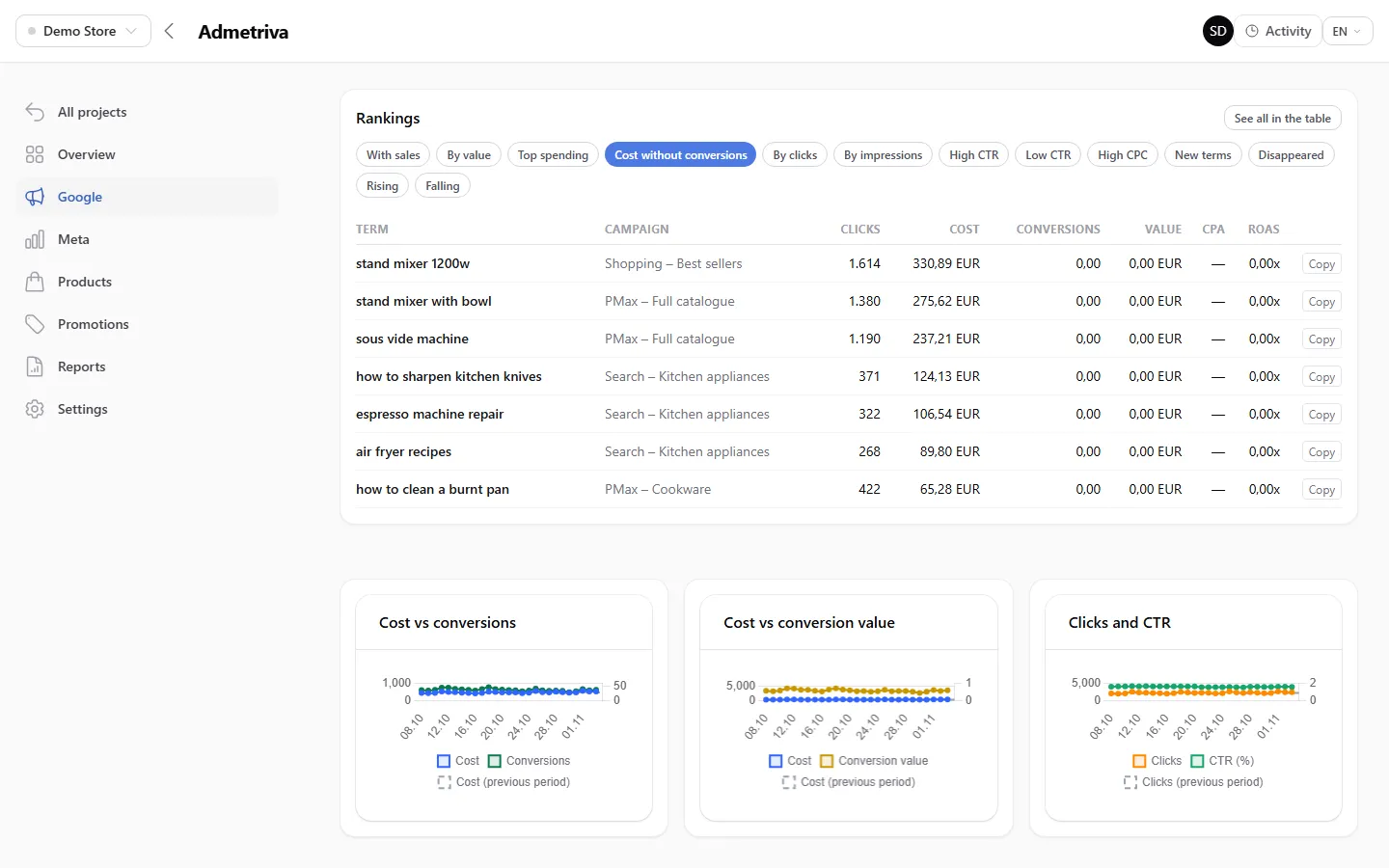
E-commerce & Merchant Center
For stores: performance for every product
Cost, clicks, conversions, value and ROAS for each product, next to its Merchant Center status and issues. Quickly find the products that spend without selling.
Learn more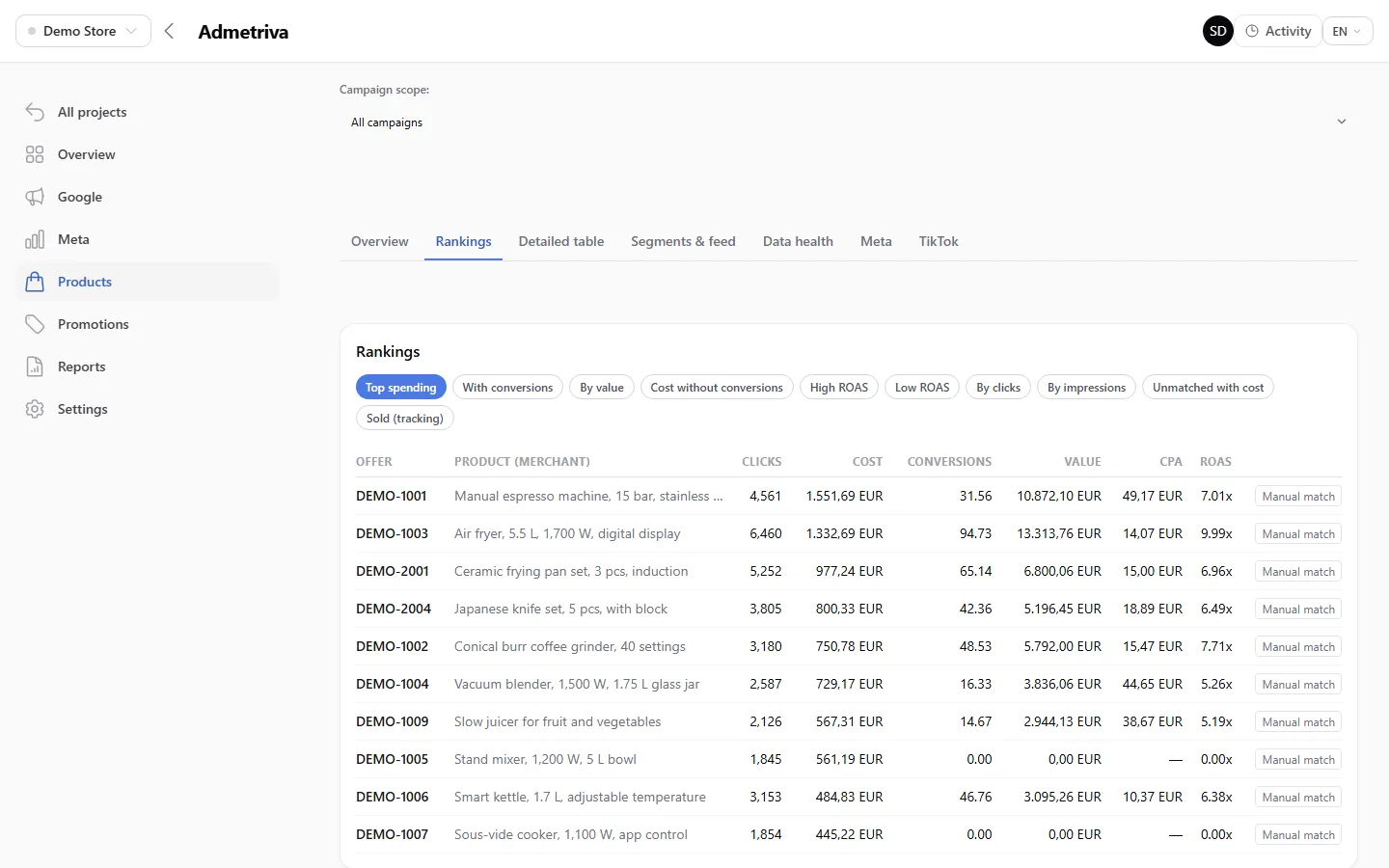
Lead Generation
For lead generation: cost per lead, not just clicks
Set the project objective, from leads to calls and appointments, and a cost target. See Meta leads and Google conversions side by side, with the cost per result over time.
Learn more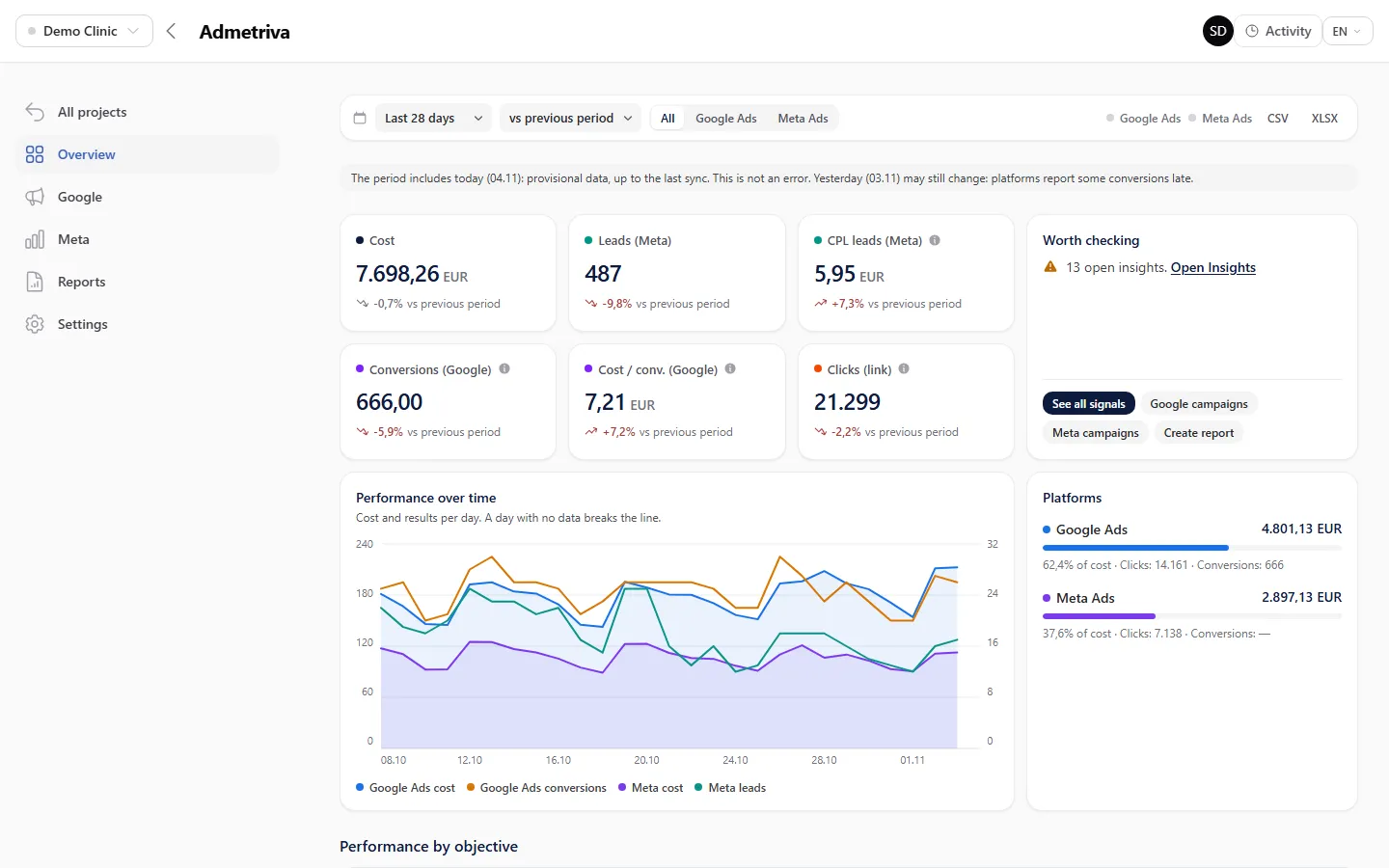
Agency Dashboard
Every client's day, in one table
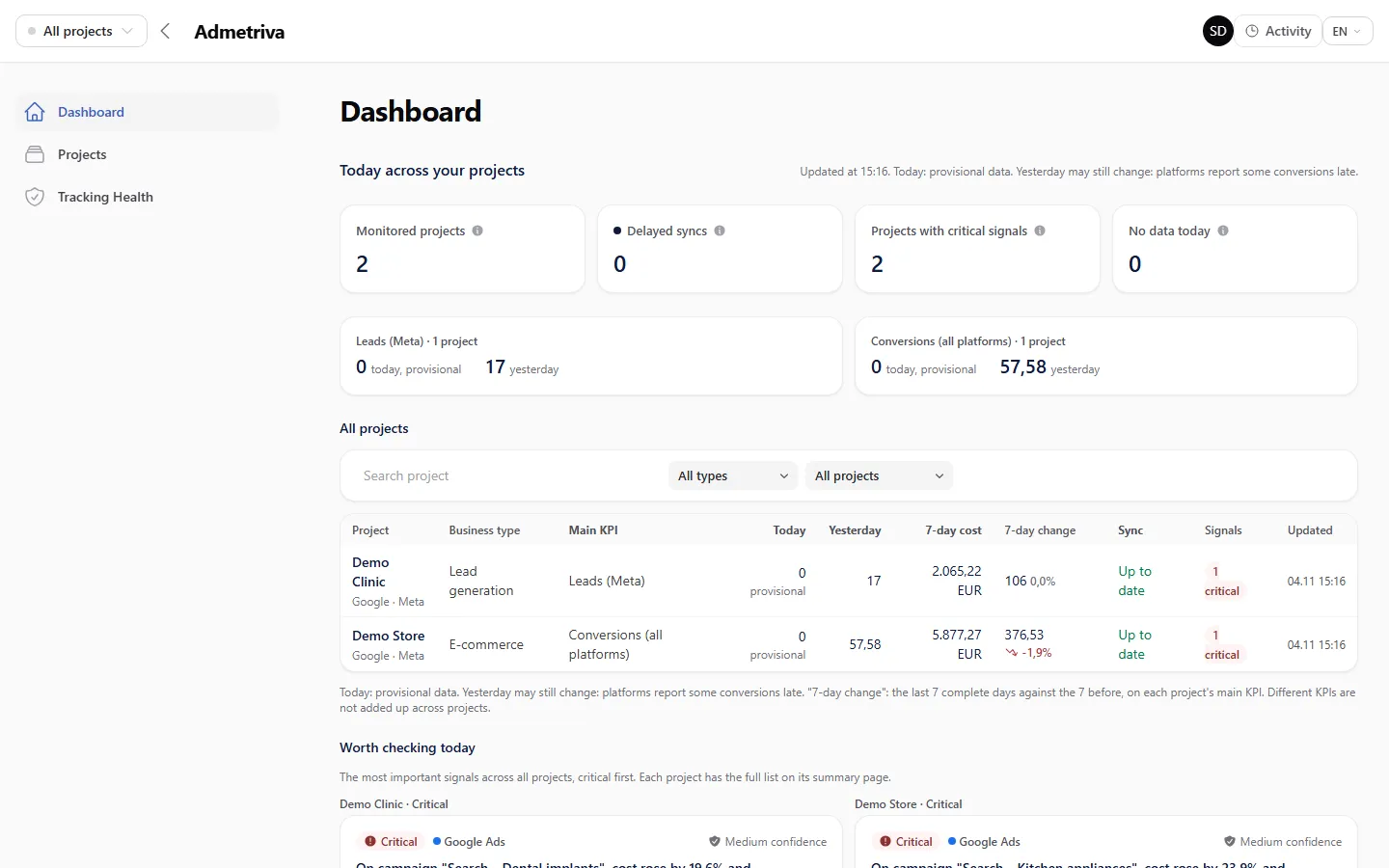
For agencies and freelancers: every project with its main KPI today, yesterday and over the last 7 days, its sync status and the signals worth checking today.
- Projects with critical signals come first
- Leads and conversions stay separate, never added up
- Data status for every project and platform
Tracking & Attribution
Orders tracked on the server, not guessed in the browser
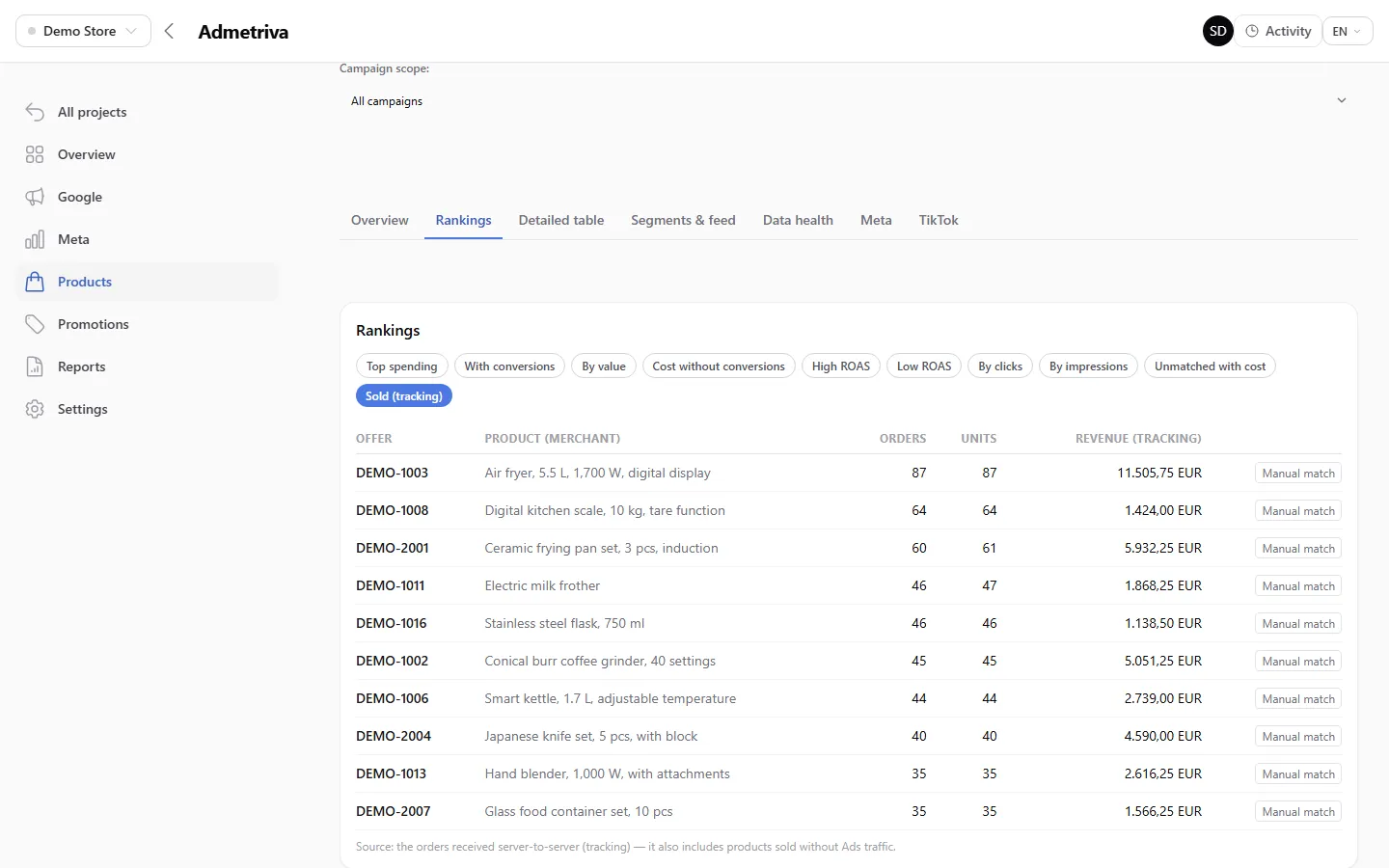
For stores, orders reach Admetriva straight from the store's server: signed, deduplicated, linked to the ad click and to the products in your catalogue.
- Signed server-to-server events
- Click identifiers kept until the order
- Order items matched to Merchant Center IDs
- Tracking health: rejected, duplicate, missing IDs
Reports
Reports your clients actually read
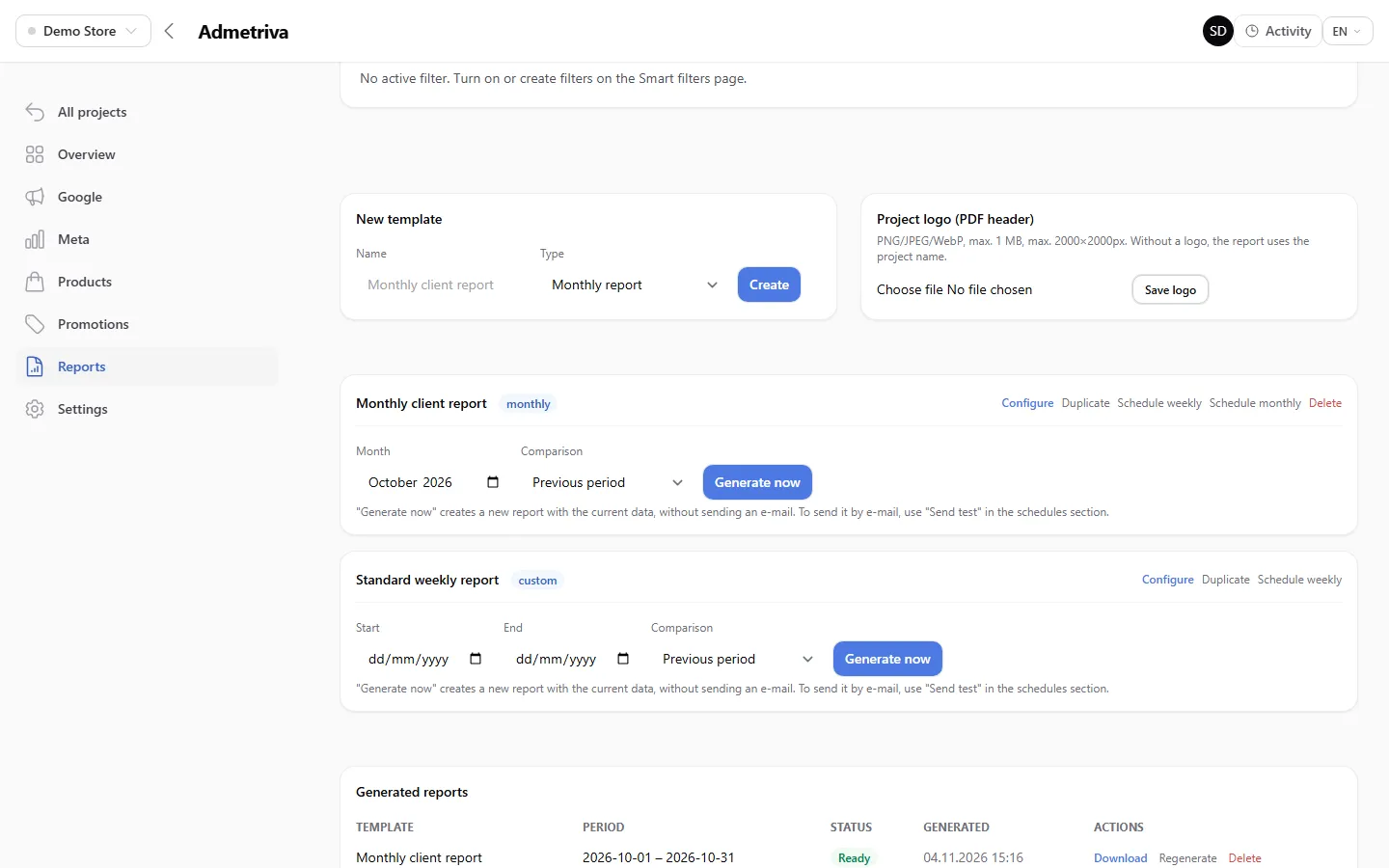
Monthly and weekly templates, PDFs built from the same figures as the app, scheduling and live client links with the sections you choose.
- Reproducible reports, on the data at generation time
- Live links without an account, optionally with a PIN
- CSV and XLSX export from tables
Priced by active project
You pay for the number of active projects, not for users. Paying annually saves 10%.
-
Admetriva One
1 active project
€29/month
-
Admetriva Duo
2 active projects
€55/month
-
Admetriva Studio
3 active projects
€79/month
Each project beyond Studio: €23 per month.
Launch prices, in preview. Payments open soon. Nothing is charged until then, and the prices shown are the launch prices.
Frequently asked questions
Who is Admetriva for?
For freelancers and agencies running campaigns for clients, and for businesses managing their own ads: online stores or companies that generate leads.
Which platforms can I connect?
Google Ads, Meta Ads and Google Merchant Center. The TikTok Ads integration is in the works.
Does Admetriva change my campaigns on its own?
No. Signals and recommendations are suggestions to check. Nothing changes in your accounts without your action.
Is it only for online stores?
No. Lead generation projects have their own metrics: leads, cost per lead, objectives and targets. Products and Merchant Center are only used where they make sense.
Where do the numbers come from?
Straight from the platforms, through their official APIs. Data is stored daily and recent days are re-imported for conversions reported late. A day without data shows as missing, never as zero.
How is the price calculated?
By the number of active projects: One for one project, Duo for two, Studio for three, plus each extra project. Paying annually saves 10% and is paid in advance.
Are there AI-generated explanations?
They are in the works. They will arrive in preview first and will only start from the figures Admetriva has already calculated.
See your campaigns clearly, in one place
Create your account, connect your platforms and get your first signals after the first sync.